 Lightbox
A Finder-style file list. Select a row and press Space: the icon grows into the photo. Arrow keys page through, Space closes.
 coast-road.jpg2.4 MB
 coast-aerial.jpg2.7 MB
 rocky-coast.jpg2.4 MB
 road-to-sea.jpg1.5 MB
 shoreline.jpg2.4 MB
 sea-cliff.jpg2.4 MB
 palm-road.jpg2.4 MB
 alpine-lake.jpg2.4 MB
 ridge-sunrise.jpg2.4 MB
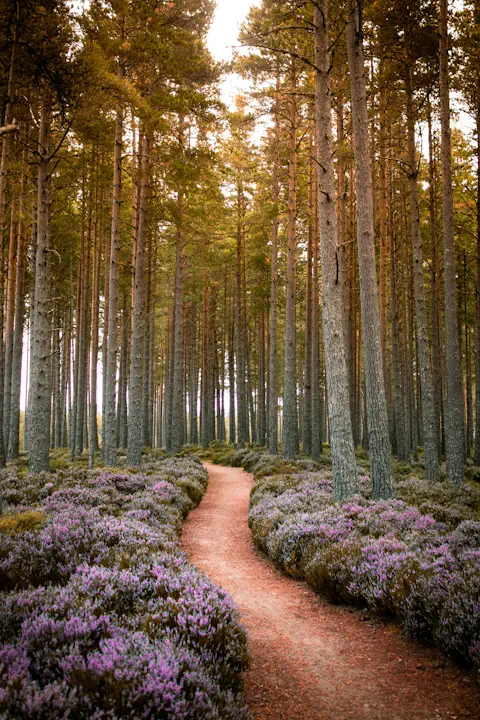 pine-path.jpg2.4 MB
 tree-path.jpg2.4 MB
 white-building.jpg2.3 MB
import { cn } from 'cn'
import * as React from 'react'
import { landscapes, portraits } from '../../data/photos'
import { Lightbox, Slides, useLightbox } from '../lightbox'
const files = [...landscapes.slice(0, 9), ...portraits.slice(0, 3)].map((photo) => ({
...photo,
name: photo.src.replace('/photos/', '').replace('.webp', '.jpg'),
size: `${((photo.width * photo.height) / 900_000).toFixed(1)} MB`,
}))
/** Finder-style: click selects, ↑ ↓ move, Space or a double-click opens Quick Look. */
function FileList({ selected, onSelect }: { selected: number; onSelect: (i: number) => void }) {
const { openAt } = useLightbox()
return (
<div
role="listbox"
tabIndex={0}
aria-label="Photos"
onKeyDown={(e) => {
if (e.key === 'ArrowDown') onSelect(Math.min(selected + 1, files.length - 1))
else if (e.key === 'ArrowUp') onSelect(Math.max(selected - 1, 0))
else if (e.key === ' ') openAt(selected)
else return
e.preventDefault()
}}
className="h-72 overflow-y-auto rounded-lg border border-neutral-200 outline-none focus-visible:ring-2 focus-visible:ring-blue-500 dark:border-neutral-800"
>
{files.map((file, i) => (
// biome-ignore lint/a11y/useKeyWithClickEvents: the listbox handles the keyboard for every row
<div
key={file.src}
role="option"
tabIndex={-1}
aria-selected={i === selected}
onClick={() => onSelect(i)}
onDoubleClick={() => openAt(i)}
className={cn(
'flex cursor-default items-center gap-2 px-3 py-1 select-none',
i === selected ? 'bg-blue-500 text-white' : 'even:bg-neutral-100 dark:even:bg-neutral-900',
)}
>
{/* The icon is the morph target only: clicks go to the row, and a span never steals Space. */}
<Lightbox.Trigger
index={i}
render={<span />}
tabIndex={-1}
className="pointer-events-none size-5 shrink-0 overflow-hidden rounded-[3px] outline-none"
>
<img src={file.thumb} alt="" className="size-full object-cover" />
</Lightbox.Trigger>
<span className="flex-1 truncate">{file.name}</span>
<span className={cn('tabular-nums', i !== selected && 'text-neutral-500')}>{file.size}</span>
</div>
))}
</div>
)
}
function Title() {
const { item } = useLightbox<(typeof files)[number]>()
return (
<p className="absolute top-3 left-1/2 -translate-x-1/2 rounded-full bg-neutral-900/80 px-3 py-1 text-sm font-medium whitespace-nowrap text-white backdrop-blur">
{item?.name} <span className="ml-2 text-white/50">Space to close</span>
</p>
)
}
function Viewer() {
const { close } = useLightbox()
return (
<Lightbox.Portal>
<Lightbox.Backdrop className="z-50 bg-neutral-950/40" />
<Lightbox.Popup
className="z-50 outline-none"
onKeyDown={(e) => {
// Space closes, like Finder. ← → still page through the files.
if (e.key !== ' ') return
e.preventDefault()
close()
}}
>
<Slides className="p-6 pt-14 sm:p-16 sm:pt-14" imageClassName="rounded-xl shadow-2xl" />
<div className="pointer-events-none absolute inset-0 opacity-(--lightbox-presence)">
<Title />
</div>
</Lightbox.Popup>
</Lightbox.Portal>
)
}
export default function QuickLook() {
const [selected, setSelected] = React.useState(0)
return (
<Lightbox.Root items={files} onIndexChange={setSelected}>
<FileList selected={selected} onSelect={setSelected} />
<Viewer />
</Lightbox.Root>
)
}